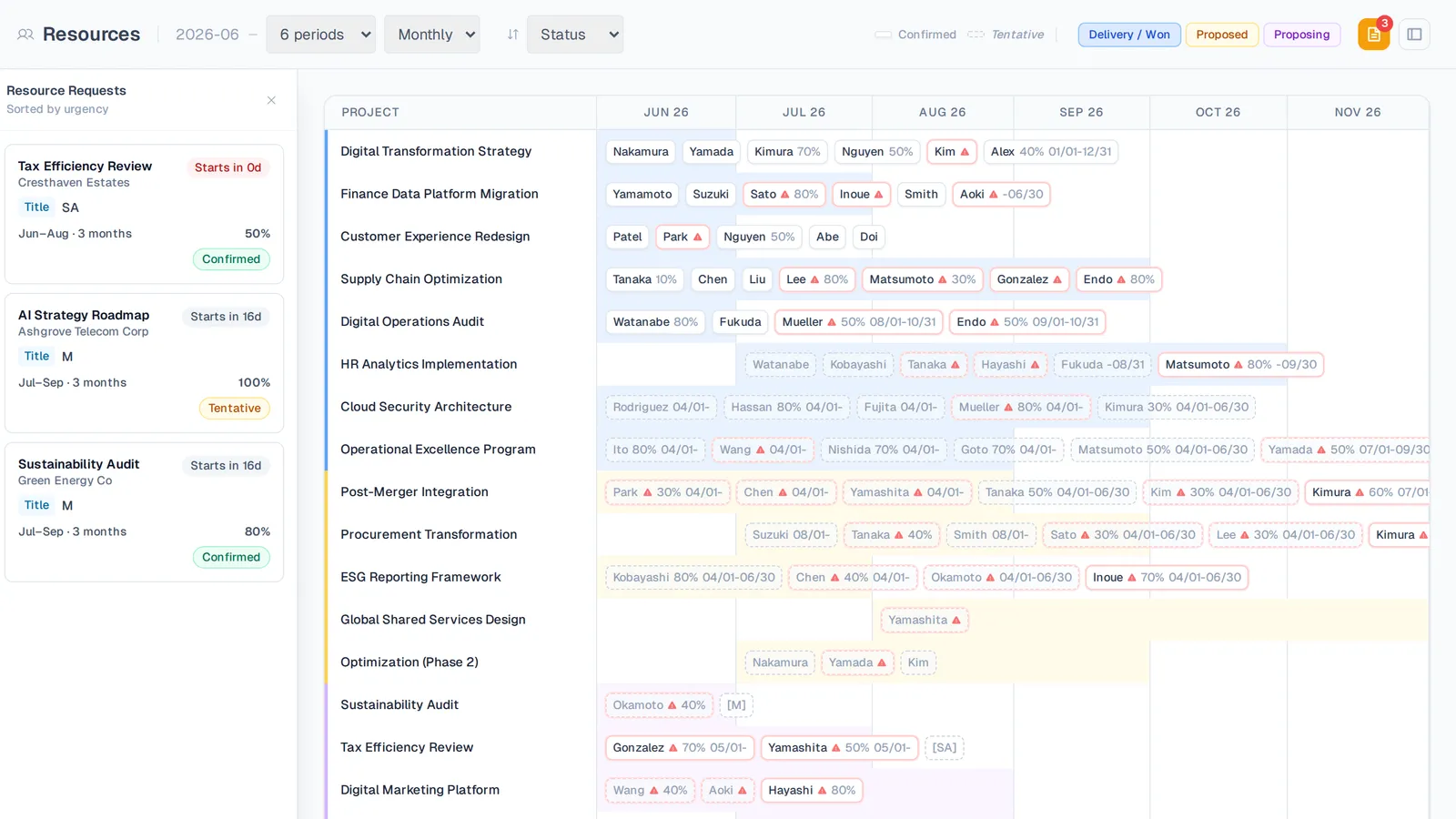
Requests sit beside the matrix as placeholder rows until a resource manager signs off.
Staffing requests without the bottleneck
Request by title or by name
PMs request a role and dates without knowing who's free. Resource managers see the best-fit people ranked by available capacity for that period.
Approve, reject, or counter
Resource managers clear requests from a side panel — approve as tentative or confirmed, or propose a different person, dates, or percentage.
Placeholders on the matrix
Pending requests show as placeholder rows on the Resourcing Matrix, then convert to real assignments the moment they're approved.
See competing demand
Spot when one person is wanted for two overlapping projects before you commit them — no siloed decisions.
Ask for a role, not a name
Project managers request a “Senior Manager, March to June, 60%” without needing to know who's free. The resource manager sees the people who actually fit, ranked by available capacity for that window, and picks the right one.
- Request by title or by a specific person
- Candidates ranked by real availability
- Approve as tentative or confirmed
Request a role
Approve without a meeting
Requests queue in a side panel. Approve, reject, or counter with a different person, dates, or percentage — and see when the same person is wanted elsewhere before you commit them.
- Counter-propose alternatives in one click
- See competing requests for the same person
- Approved requests become real assignments instantly
Approve or counter
See it on your own projects.
Start free, or book a guided walkthrough on your own data.